

A self-hosted Markdown editor
markoto runs on your own Linux server with Docker Compose. A self-hosted instance runs the same code and images as markoto.app: live co-editing, the paged preview and PDF export, comments and history, workspaces, the knowledge base, the MCP server and the AI assistant on providers you choose. One script installs it.
git clone https://github.com/markoto-app/markoto.git markoto
cd markoto
./install.sh
The installer asks for a domain (HTTPS with Let's Encrypt) or a port for plain HTTP, the email addresses of the instance admins, and optionally sign-in and AI keys. It generates every secret, writes the configuration, starts the stack and waits until the app is healthy. Running it again is safe: it keeps your secrets.
What you need
- A Linux server with Docker Engine and the Compose plugin 5.0 or newer. Older Compose versions reject the compose files.
- About 6 GB of RAM for a small instance, and 15 GB of disk for the images plus your data.
- For HTTPS: a domain pointing at the server, and ports 80 and 443 open. Without one, markoto runs on plain HTTP on a port you choose, for a LAN or behind your own reverse proxy.
What runs
markoto is heavier than a single-container editor. The stack has one container per job:
- app: the web app and API
- sync: real-time collaboration over WebSocket
- renderer: headless Chromium that makes the PDFs
- markitdown: converts imported Word, PDF, PowerPoint, Excel, HTML and EPUB files
- postgres and valkey: data, document history, rate limits and locks
- seaweedfs: S3-compatible storage for images and backups
- litellm: the gateway to your AI providers
- traefik with a read-only Docker socket proxy: the only published port
- backup: a daily encrypted database dump, plus two one-shot setup containers
Every container runs without Linux capabilities, most of them as non-root users on a read-only filesystem. The preview and PDF export need no internet access: scripts, styles and fonts are served by the instance itself, so it works on an isolated network.
Sign-in
Users sign in through your own OpenID Connect provider, such as Authentik, Keycloak, Authelia, Pocket ID, Zitadel or Dex, and/or through GitHub and Google. Without any of them the instance is anonymous-only: people can create, share and export documents, but nobody owns documents or uses workspaces or AI.
AI on your terms
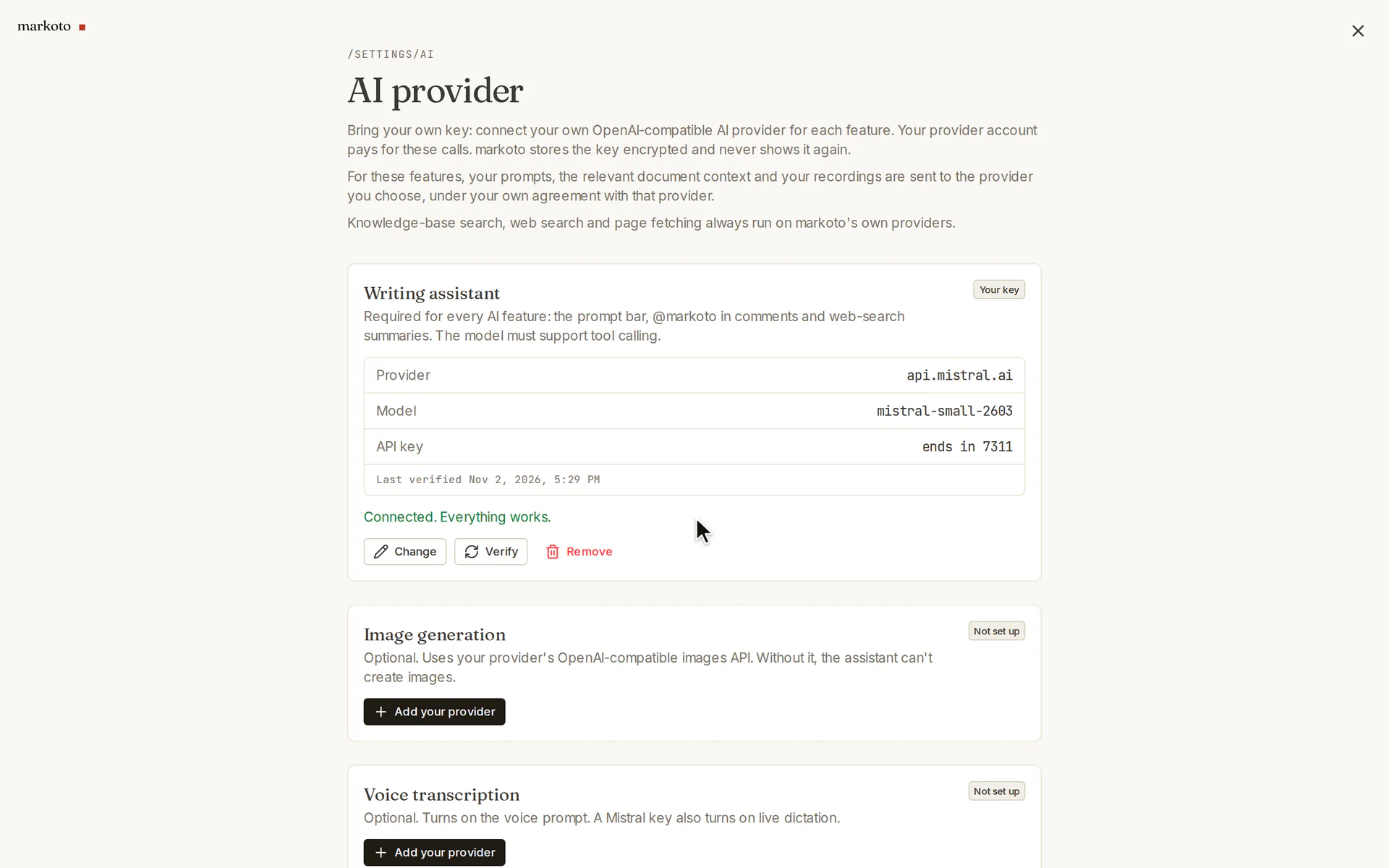
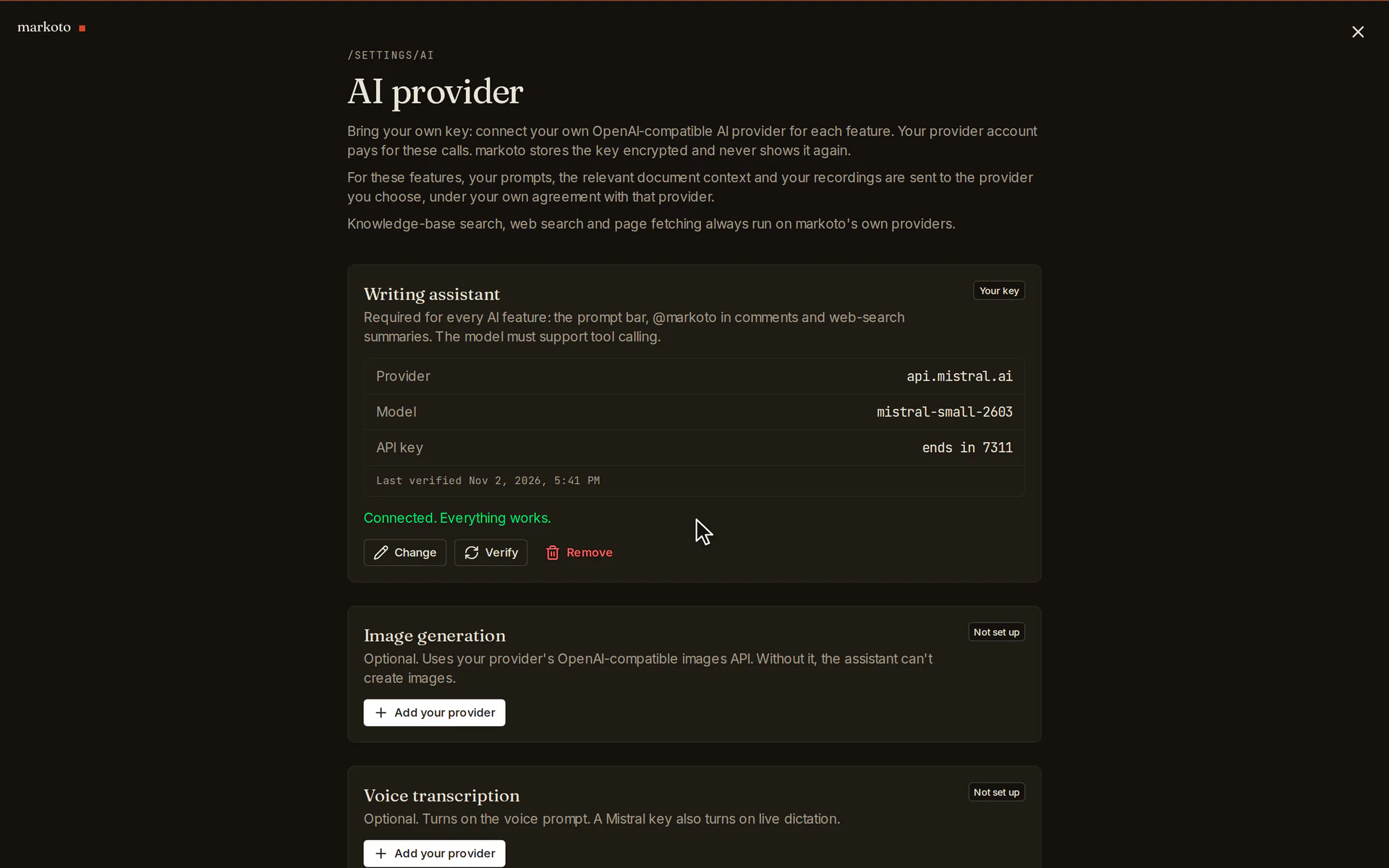
All AI is optional. Each user can connect their own OpenAI-compatible provider for chat, images and voice input. As the operator you can set instance defaults, including a local model through Ollama. Nothing is sent to an AI provider unless someone uses an AI feature. The knowledge base needs an embeddings provider (Jina by default, or any other, including a local one).
Backups and upgrades
The backup container dumps the database once a day, encrypts it and keeps the newest 14 copies. By default they sit in the instance's own storage, on the same disk as the data, so copy them elsewhere or point them at another S3 bucket. ./install.sh upgrade pulls the new release and restarts the stack; database migrations run on start and are forward-only, so take a backup first.
The licence
markoto is source-available under the Functional Source License (FSL-1.1-ALv2). You may use, change and redistribute it for any purpose except a competing commercial product or service. The licence names internal use in your organisation, non-commercial education and non-commercial research as permitted. Each release becomes Apache-2.0 licensed two years after it is published. FSL is not an OSI-approved open-source licence.
What you don't get
- Not a light install. If you want a small notes server on a small machine, a lighter editor such as HedgeDoc may fit better. See markoto vs HedgeDoc.
- One machine. The supported setup is Docker Compose on a single host. There is no Kubernetes chart.
- You are the operator. Backups, updates and the legal pages of your instance are yours to look after.
Questions
Is self-hosting free?
Is markoto open source?
How much RAM does it need?
Which Docker Compose version is needed?
Can I use my company's single sign-on?
Can it run without internet access?
Updated November 4, 2026