

Novel manuscript template in Markdown
A manuscript has a few formatting rules that matter and many that don't. This template follows the ones that do: a title page, chapters that start on a new page, a scene break between scenes, and the book's title running at the top of the pages. You write the story in plain Markdown and the Manuscript theme does the layout.
Below is the opening of a made-up novel. Edit it and the pages follow.
# The Salt Road

> The road remembers every foot that has left it.
>
> Old proverb

# The Ferryman's Daughter

Mara counted the lamps on the far bank twice before she let herself believe one was missing.

"Father," she said. "The Ostler's light is out."

He did not look up from the rope he was mending. "Then the Ostler is asleep."

* * *

By midnight the whole village knew. By morning the ferry had been taken.

# What the Water Kept

The river gave back the boat on the ninth day, empty, with a single coat folded on the seat.
The road remembers every foot that has left it.
Old proverb
Mara counted the lamps on the far bank twice before she let herself believe one was missing.
“Father,” she said. “The Ostler’s light is out.”
He did not look up from the rope he was mending. “Then the Ostler is asleep.”
By midnight the whole village knew. By morning the ferry had been taken.
The river gave back the boat on the ninth day, empty, with a single coat folded on the seat.
What's in it
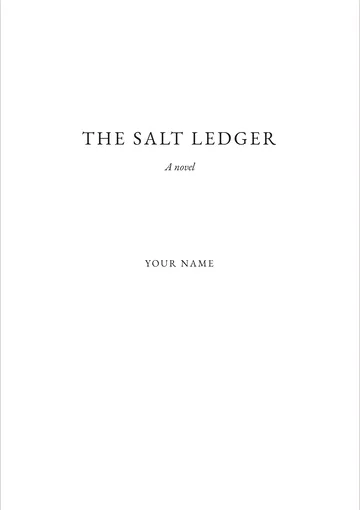
- Title page. The title, the subtitle ("A novel") and the author, set under Cover page in the document theme. The book title also runs at the top of the pages.
- Epigraph. An optional quotation alone on its page, with its source in its own paragraph.
- Chapters. Every chapter is a top-level heading without a number. The design numbers the chapters, starts each on a new page and sets its first words in small capitals. Add
[[toc]]where the book needs a contents page. - Scene breaks. A line with
* * *or---inside a chapter becomes three spaced asterisks, and the next paragraph starts flush. - Briefs. A short note under each heading on how to open a chapter, how to end it and how to set dialogue. They are Markdown comments: visible in the editor and to the AI assistant, never on the page.
Writing the book in markoto
- Moving chapters. Ask the AI to swap two chapters and it moves each with all its scenes, in one edit you can undo.
- Word and page count. The status bar shows the words in the document and, in the preview, the number of pages.
- Every draft kept. Every edit is recorded and you can restore an earlier state. On markoto.app's free plan history reaches back 30 days; a self-hosted instance has no limit.
- A file you own. The text is a Markdown file you can download whenever you like.
What it doesn't do
A manuscript here is one document. There is no manuscript folder that assembles chapter files into one book, and no corkboard or writing targets. markoto makes a PDF, a Markdown file and, if you wish, a published web page. For a longer comparison with a dedicated novel-writing tool, see markoto vs Scrivener.
Questions
Does each chapter start on a new page?
How do I mark a scene break?
Can I keep every chapter in its own file?
Can beta readers comment on a chapter?
Updated November 19, 2026