

Thesis template in Markdown
A thesis is long, has a fixed structure and is read on paper or as a PDF. This template gives you the structure: title page, abstract, acknowledgements, table of contents, then chapters from introduction to conclusion, a bibliography and an appendix. You write Markdown; the Thesis theme sets every chapter on a new page under "Chapter 1", "Chapter 2" and so on, and numbers tables and figures within their chapter.
Below is the start of a short master's thesis written with it. Edit it and watch the pages change.
# Reading Speed on Paper and on Screen

# Abstract

We compared reading speed and recall for 120 students who read the same texts on paper and on a tablet. Speed did not differ, but recall of details was 9% lower on screen.

<!-- pagebreak -->

[[toc]]

# Introduction

## Research questions

1. Does the medium change how fast people read?
2. Does it change what they remember?

# Method

Each participant read four texts, two per medium. Recall is the share of correct answers, and we report the effect size as

$$
d = \frac{\bar{x}_{\text{paper}} - \bar{x}_{\text{screen}}}{s_{\text{pooled}}} \tag{1}
$$

# Results

Table: Reading speed and recall by medium.

| Measure | Paper | Screen |
|---|--:|--:|
| Words per minute | 238 | 241 |
| Recall (%) | 71 | 62 |

# Conclusion

The medium changed what readers remembered, not how fast they read.[^1]

[^1]: All texts were expository; narrative texts may behave differently.
We compared reading speed and recall for 120 students who read the same texts on paper and on a tablet. Speed did not differ, but recall of details was 9% lower on screen.
- Does the medium change how fast people read?
- Does it change what they remember?
Each participant read four texts, two per medium. Recall is the share of correct answers, and we report the effect size as
| Measure | Paper | Screen |
|---|---|---|
| Words per minute | 238 | 241 |
| Recall (%) | 71 | 62 |
The medium changed what readers remembered, not how fast they read.[1]
All texts were expository; narrative texts may behave differently. ↩︎
What's in it
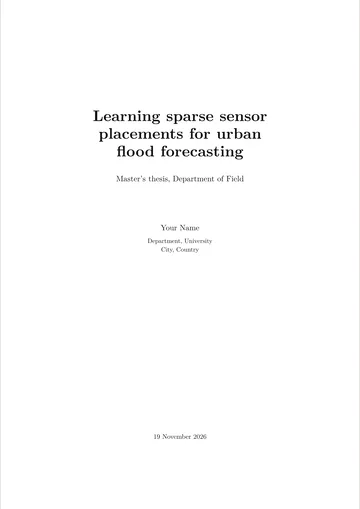
- Title page. Title, kind of thesis and department as subtitle, your name, your institution and the date. You fill them in under Cover page in the document theme.
- Abstract and acknowledgements. The abstract brief asks for one page at most, written last. Headings marked
{.unnumbered}stay out of the chapter numbering. - Table of contents.
[[toc]]lists the chapters and sections with page numbers. - Chapters. Introduction with research questions, contributions and outline; background and related work; method; results; discussion with limitations; conclusion. Each top-level heading is a chapter and starts a new page.
- Bibliography and appendix. Entries with a hanging indent, then supporting material after the bibliography.
The briefs under the headings are Markdown comments: visible in the editor and to the AI assistant, never on the page or in the PDF.
What Markdown gives you here
- Numbered tables and figures. A
Table:line above a table is its caption; an image alone in its paragraph gets its alt text as caption. Numbers run within the chapter. - Equations with numbers. Display math in LaTeX syntax, with
\tag{1}for a number you can refer to. - Footnotes that print at the foot of the page they belong to.
- Definitions and abbreviations. A definition list for terms, and a line like
*[ABC]: Full nameto explain an abbreviation on hover. - Diagrams. Mermaid diagrams for flowcharts and timelines.
- Version history. Every edit is recorded. You can see what changed and restore an earlier state; on markoto.app's free plan history reaches back 30 days, on a self-hosted instance without a limit.
What it doesn't do
markoto has no BibTeX and no reference manager: you type the bibliography by hand, in the style your department asks for. There is no university-specific template either, only this general thesis layout, which you can adjust in the theme (fonts, margins, header, footer, cover). If your university requires its own LaTeX or Word class, use that. See markoto vs Overleaf.
Who it's for
Students writing a bachelor's or master's thesis, or a doctoral thesis whose university accepts a PDF in a free layout. Your supervisor can open the same document and comment on a passage, and you can send the PDF to examiners.
Questions
Does each chapter start on a new page?
Can I write the bibliography with BibTeX?
Can my supervisor comment on the draft?
Can I change the layout to match my department's rules?
Updated November 19, 2026