

Markdown report template, printed as pages
A report is read on paper or as a PDF, so the layout matters as much as the text: a cover, a table of contents with page numbers, tables that line up, charts, and notes at the foot of the page. In markoto you write all of it in Markdown and the preview shows the pages as you go.
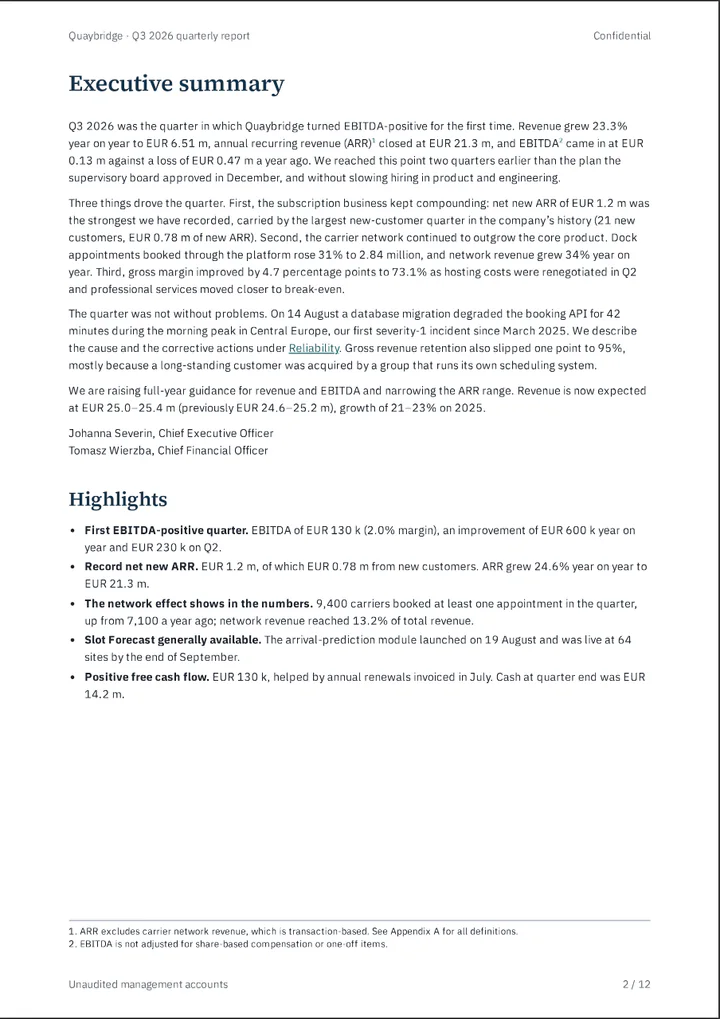
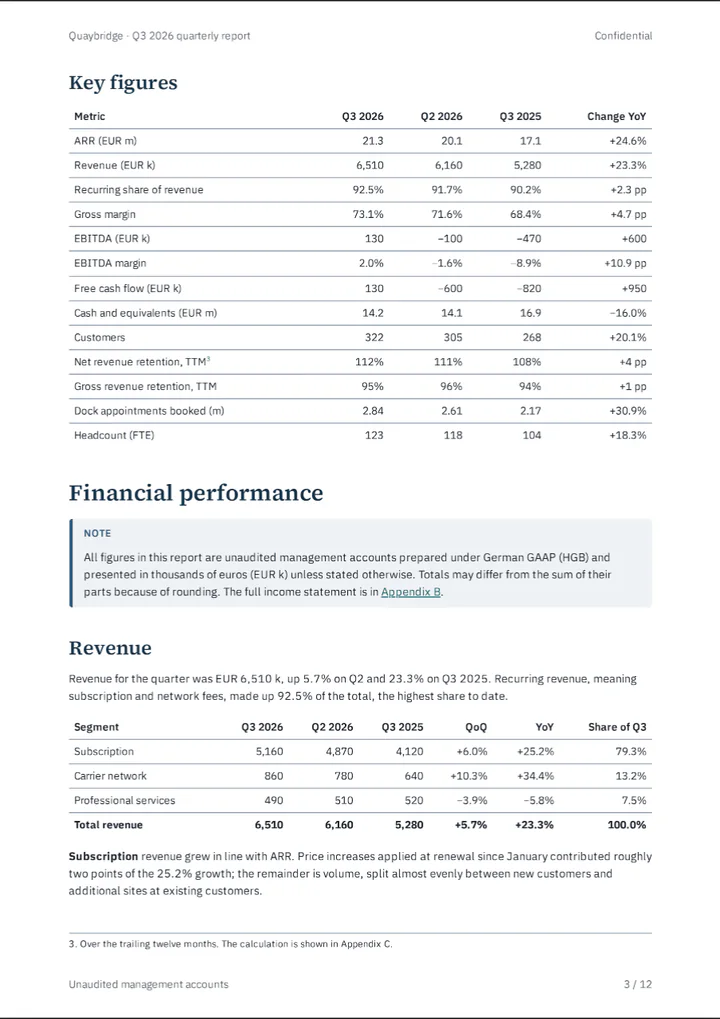
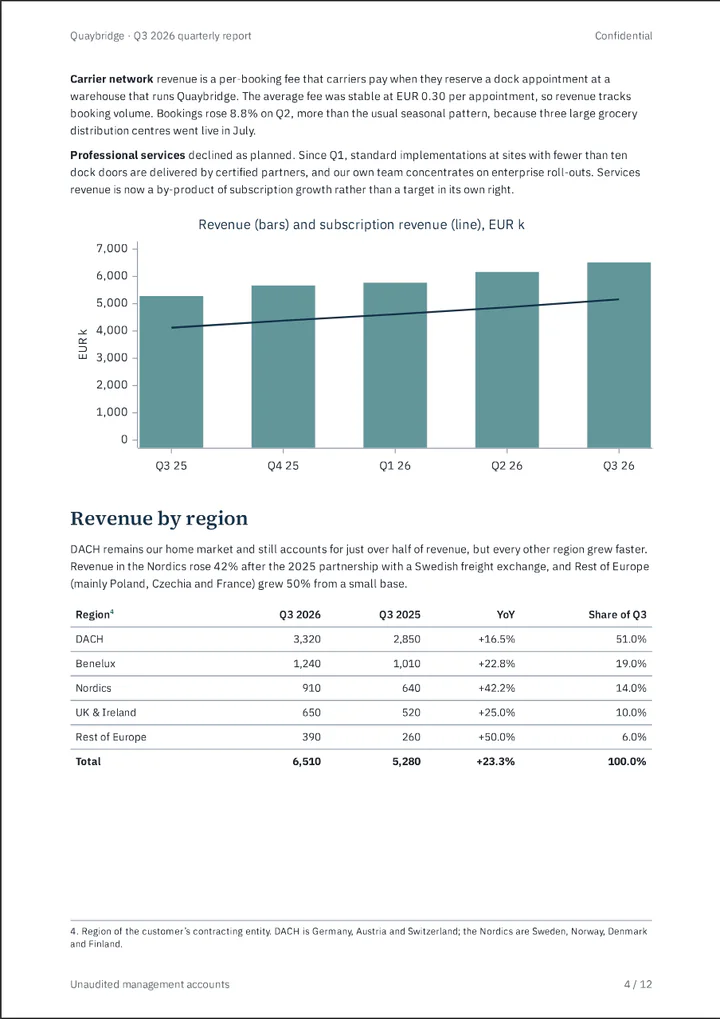
These pages are from a 12-page quarterly report written in markoto for a made-up software company. The text is Markdown; the chart is a Mermaid diagram typed into the source; the theme adds the running header and the page numbers.
What's in it
- Cover page and table of contents. The theme draws the cover from the document title, a subtitle, the date and the authors.
[[toc]]lists the sections with page numbers. - Executive summary. Half a page for readers who stop there: what happened, the three numbers that matter, what you want them to decide.
- Highlights. Four to six bullets, each a bold claim with the number behind it.
- Key figures. A table of this period, the previous period, the same period a year ago and the change.
- Results. One subsection per area, each opening with its number.
- Risks and outlook, then an appendix for definitions and full tables after a page break.
The briefs under the headings are Markdown comments: visible in the editor and to the AI assistant, never on the page or in the PDF.
What the report above uses
- Tables with right-aligned figures, including one wide table with smaller type.
- Charts: Mermaid
xychart-betafor bars and lines, pluspieandflowchart, drawn in the theme's colours. - Footnotes that print at the foot of their page.
- Alerts (
> [!NOTE],> [!WARNING]) for remarks that must stand out. - A custom theme: IBM Plex Sans for the text, Source Serif 4 for the headings, a running header, "page / pages" in the footer and a few lines of custom CSS for the figures.
The template opens with the built-in Corporate report theme instead. Change fonts, colours, the header and the footer in the document theme, and save the result as your own preset to reuse it for the next report.
Who it's for
Finance and operations teams writing quarterly or board reports, project leads writing status reports, consultants and analysts delivering a report as a PDF. Several people can write different sections at the same time, comment on figures and restore an earlier version.
Questions
Does the PDF look like the preview?
Can I add charts?
Can I put our logo on the cover and in the header?
Can I reuse the layout for every quarter?
Updated November 6, 2026