

Design doc and RFC template in Markdown
A design doc proposes one change and lets reviewers agree or object section by section. This template has the sections that make that possible: a status header, motivation, goals and non-goals, the proposal, the alternatives you considered, the decisions you ask for, a rollout plan, risks and open questions.
Below is a short design doc for a made-up change. The diagram is a Mermaid block typed into the source.
# Queue-based email sending

| | |
|---|---|
| **Status** | In review |
| **Authors** | Priya |
| **Reviewers** | Jonas (platform) |
| **Decision deadline** | 2026-12-02 |

# Summary

Sending email inside the request makes checkout slow and loses emails when the provider times out. We propose to put emails on a queue and send them from a worker.

# Goals

- Checkout latency below 300 ms at the 95th percentile.
- No email lost on a provider outage of up to one hour.

## Non-goals

- Changing the email provider.

# Proposal

```mermaid
flowchart LR
  A[Checkout] --> B[(Queue)]
  B --> C[Email worker]
  C --> D[Provider]
```

# Alternatives considered

| | A: Send in request | **B: Queue (proposed)** | C: Do nothing |
|---|---|---|---|
| Effort | None | 2 weeks | None |
| Risk | Lost emails | Low | Lost emails |

# Decisions

**D1.** Use the existing job queue, not a new service.

# Open questions

- [ ] Do we retry for 24 hours or 72? (Owner: Jonas)
| Status | In review |
| Authors | Priya |
| Reviewers | Jonas (platform) |
| Decision deadline | 2026-12-02 |
Sending email inside the request makes checkout slow and loses emails when the provider times out. We propose to put emails on a queue and send them from a worker.
- Checkout latency below 300 ms at the 95th percentile.
- No email lost on a provider outage of up to one hour.
- Changing the email provider.
flowchart LR
  A[Checkout] --> B[(Queue)]
  B --> C[Email worker]
  C --> D[Provider]
| A: Send in request | B: Queue (proposed) | C: Do nothing | |
|---|---|---|---|
| Effort | None | 2 weeks | None |
| Risk | Lost emails | Low | Lost emails |
D1. Use the existing job queue, not a new service.
- Do we retry for 24 hours or 72? (Owner: Jonas)
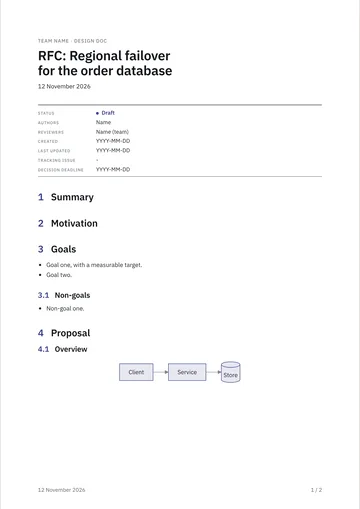
What's in it
- Status header. A table with status (Draft, In review, Accepted, Rejected, Superseded), authors, reviewers, dates, tracking issue and the decision deadline.
- Summary and motivation. One paragraph for someone who reads nothing else, then the current state, the evidence and the constraints.
- Goals and non-goals. Outcomes you can check after rollout, and what you deliberately leave out.
- Proposal. An overview with a diagram, then one section per part of the design: data model, API, migration, failure handling.
- Alternatives considered. A comparison table with the proposed option in bold, including "do nothing".
- Decisions. The decisions you ask reviewers to accept, labelled D1, D2 so comments can refer to them.
- Rollout, risks and open questions. Phases with exit criteria, a risk table and a task list of questions with owners.
The briefs under the headings are Markdown comments: visible in the editor and to the AI assistant, never on the page or in the PDF.
Review it where it is written
- Comments on a passage. Reviewers select a sentence, comment, and you reply or resolve in the same place. Threads stay attached to the text as it changes.
- Live editing. Several authors write at the same time and see each other's cursors.
- History. The activity log shows who changed what and when, and any earlier state can be restored.
- Code and diagrams. Fenced code with syntax highlighting, and Mermaid for flowcharts, sequence diagrams and more, drawn on the page.
- PDF. Export a paged PDF for the review meeting or the archive.
Questions
Can reviewers comment on single sentences?
Can I draw diagrams?
Does it sync with Git or GitHub?
Can I keep a record of decisions?
Updated November 19, 2026